
Amazon Associates is one of the most profitable affiliate programs in the world, but for many WordPress users, it is also the most frustrating to set up.
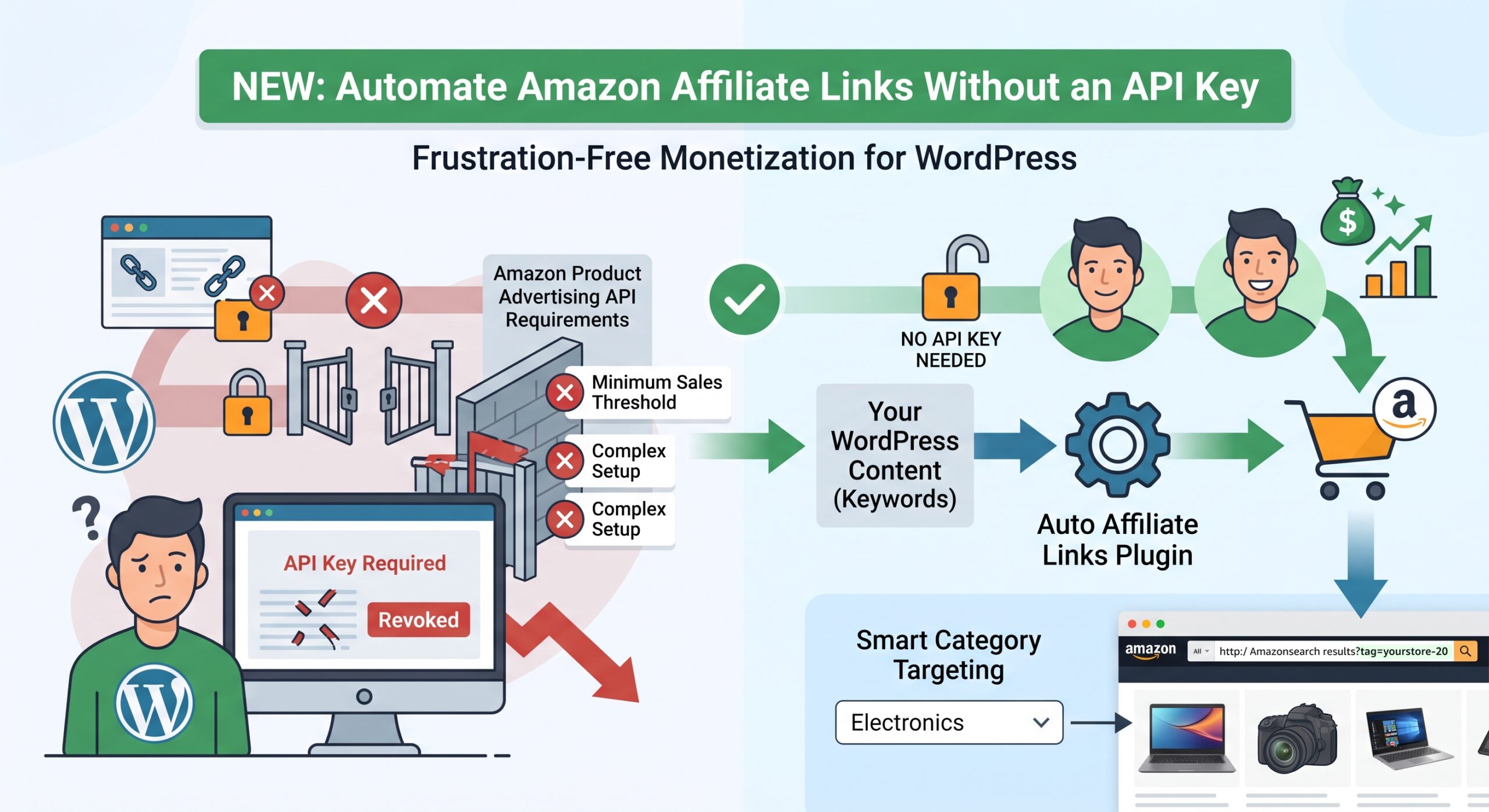
Historically, if you wanted to automatically turn your keywords into Amazon affiliate links, you needed developer access to the Amazon Product Advertising API (recently replaced by the Creators API). The problem? Amazon’s API requirements are notoriously strict. You need a certain number of qualifying sales to get a key, and if your sales drop, they disable your access without warning.
When your API key gets revoked, your automated links break.
We heard from countless users who were tired of dealing with API limits, revocations, and complex credential setups. You needed a simpler way to monetize your content with Amazon.
Today, we are excited to announce a massive update to Auto Affiliate Links: You can now completely automate your Amazon links without an API key.
How the API-Free Amazon Integration Works
Instead of pinging the Amazon API for a single product match, the plugin now utilizes a smart, dynamic search fallback system.
When the plugin finds a keyword in your content, it automatically constructs a custom URL that sends the user directly to an Amazon search results page for that exact keyword.
The link is instantly generated with your Amazon Tracking ID (tag=) attached, meaning any purchase the user makes from that search page will earn you a commission.
Smart Category Targeting for Higher Conversions
We didn’t just want to send users to a broad, generic Amazon homepage. We wanted these links to convert.
To make the fallback links highly relevant to your niche, we integrated category filtering based on the settings you have already configured. Amazon uses a special Search Alias parameter (i=) to restrict searches to specific departments.
If your website focuses on tech, you can set your preferred category to “Electronics” in the plugin settings. Now, when Auto Affiliate Links generates a link for the keyword “laptop”, the user isn’t just searching all of Amazon—they are searching specifically within the Electronics department.
This smart filtering ensures the user sees exactly what they expect, drastically improving your conversion rates.
How to Set It Up
Getting started is easier than ever. You no longer need to navigate Amazon’s Developer portal or manage access tokens.
- Go to your WordPress admin panel and navigate to the Auto Affiliate Links dashboard.
- Open the API Management / Amazon Settings section.
- Enter your standard Amazon Tracking ID (e.g.,
yourstore-20) and select your local Amazon marketplace. - Choose your preferred Category (like “Apparel”, “Books”, or “Electronics”) to make your links more targeted.
- Click Save.
That’s it! The plugin will immediately start routing your selected keywords to highly targeted Amazon search pages—no API key required.